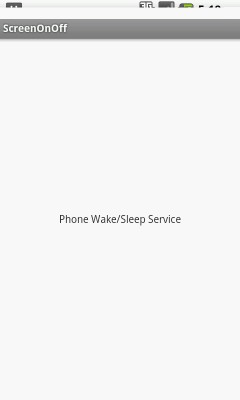
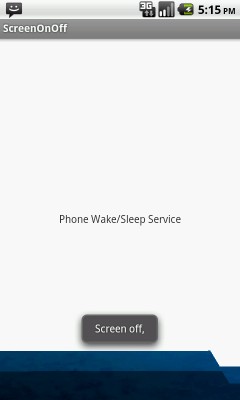


In this example broadcasting screen wake / sleep event with a service.
Some times we have requirement to make less battery consumption then you can stop your services when phone is going to sleep mode and again start your services when phone is going to wake.
1. Create a service inside main activity to get screen wake / sleep broadcast events.
2. Create a broadcast receiver inside service to get screen wake / sleep events.
3. Send screen wake/sleep value from broadcast receiver to Service.
Define AEScreenOnOffService service in mainifest file.
<?xml version="1.0" encoding="utf-8"?>
<manifest xmlns:android="http://schemas.android.com/apk/res/android"
    package="com.androidexample.screenonoff"
    android:versionCode="1"
    android:versionName="1.0" >

    <uses-sdk
        android:minSdkVersion="8"
        android:targetSdkVersion="17" />

    <application
        android:allowBackup="true"
        android:icon="@drawable/ic_launcher"
        android:label="@string/app_name"
        android:theme="@style/AppTheme" >

        <activity
            android:name="com.androidexample.screenonoff.ScreenOnOff"
            android:label="@string/app_name" >
            <intent-filter>
                <action android:name="android.intent.action.MAIN" />
                <category android:name="android.intent.category.LAUNCHER" />
            </intent-filter>
        </activity>

        <service android:name="com.androidexample.screenonoff.AEScreenOnOffService">
			<intent-filter>
				<action android:name="com.androidexample.screenonoff.AEScreenOnOffService" />
			</intent-filter>
		</service>


  </application>

</manifest>
import android.os.Bundle;
import android.app.Activity;
import android.content.Intent;

public class ScreenOnOff extends Activity {

	@Override
	protected void onCreate(Bundle savedInstanceState) {
		super.onCreate(savedInstanceState);
		setContentView(R.layout.activity_screen_on_off);

		// Start AEScreenOnOffService Service

		Intent i0 = new Intent();
		i0.setAction("com.androidexample.screenonoff.AEScreenOnOffService");
		startService(i0);

	}

}
Create service(AEScreenOnOffService.java) which will take care of screen wake sleep mode.
import android.app.Service;
import android.content.BroadcastReceiver;
import android.content.Intent;
import android.content.IntentFilter;
import android.os.IBinder;
import android.util.Log;
import android.widget.Toast;


public class AEScreenOnOffService extends Service {
	BroadcastReceiver mReceiver=null;

        @Override
        public void onCreate() {
            super.onCreate();

            // Toast.makeText(getBaseContext(), "Service on create", Toast.LENGTH_SHORT).show();

            // Register receiver that handles screen on and screen off logic
            IntentFilter filter = new IntentFilter(Intent.ACTION_SCREEN_ON);
            filter.addAction(Intent.ACTION_SCREEN_OFF);
            mReceiver = new AEScreenOnOffReceiver();
            registerReceiver(mReceiver, filter);

        }

        @Override
        public void onStart(Intent intent, int startId) {

        	boolean screenOn = false;

        	try{
        		// Get ON/OFF values sent from receiver ( AEScreenOnOffReceiver.java )
                screenOn = intent.getBooleanExtra("screen_state", false);

        	}catch(Exception e){}

             //  Toast.makeText(getBaseContext(), "Service on start :"+screenOn,
        	        //Toast.LENGTH_SHORT).show();

            if (!screenOn) {

            	// your code here
            	// Some time required to start any service
            	Toast.makeText(getBaseContext(), "Screen on, ", Toast.LENGTH_SHORT).show();

            } else {

            	// your code here
            	// Some time required to stop any service to save battery consumption
            	Toast.makeText(getBaseContext(), "Screen off,", Toast.LENGTH_SHORT).show();
            }
        }

		@Override
		public IBinder onBind(Intent intent) {
			// TODO Auto-generated method stub
			return null;
		}

		@Override
		public void onDestroy() {

			Log.i("ScreenOnOff", "Service  distroy");
			if(mReceiver!=null)
			 unregisterReceiver(mReceiver);

		}
}
Get screen wake sleep mode event broadcast and send received data again to service (AEScreenOnOffService.java)
import android.content.BroadcastReceiver;
import android.content.Context;
import android.content.Intent;

public class AEScreenOnOffReceiver extends BroadcastReceiver {

	    private boolean screenOff;

	    @Override
	    public void onReceive(Context context, Intent intent) {

	    	//Toast.makeText(context, "BroadcastReceiver", Toast.LENGTH_SHORT).show();


	        if (intent.getAction().equals(Intent.ACTION_SCREEN_OFF)) {

	            screenOff = true;

	        } else if (intent.getAction().equals(Intent.ACTION_SCREEN_ON)) {

	            screenOff = false;

	        }

	        // Toast.makeText(context, "BroadcastReceiver :"+screenOff, Toast.LENGTH_SHORT).show();

	        // Send Current screen ON/OFF value to service
	        Intent i = new Intent(context, AEScreenOnOffService.class);
	        i.putExtra("screen_state", screenOff);
	        context.startService(i);
	    }

	}
 Facebook Integration - Android Example Android SharedPreferences Basics Play Video File - Android Example Upload File To Server - Android Example Incomming SMS Broadcast Receiver - Android Example