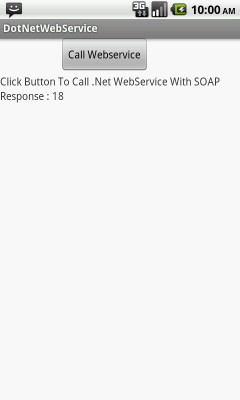
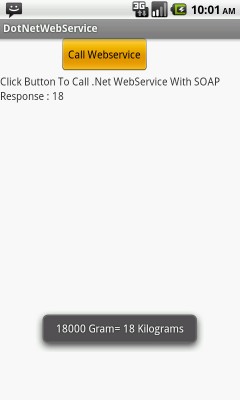
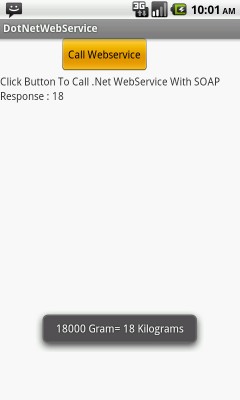


In This example calling dot net webservice to get/send data to server. Using ksoap2-android-assembly-2.4-jar-with-dependencies.jar to make soap call.
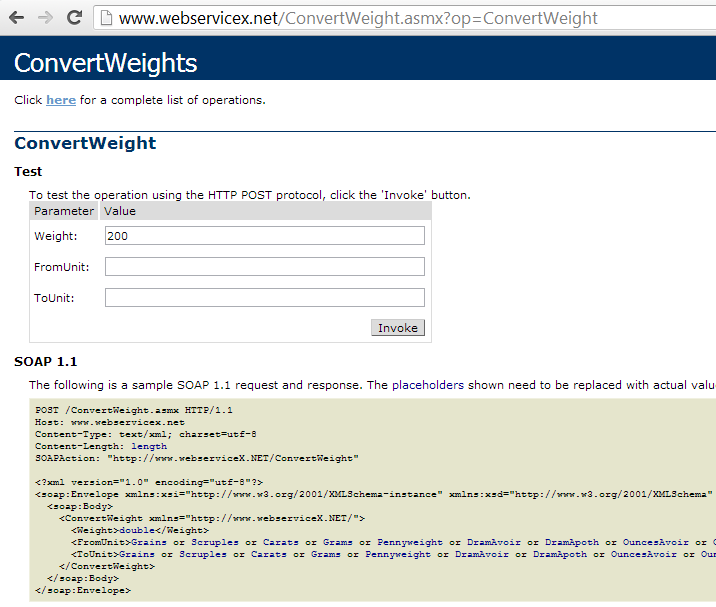
Accessing a live web service ConvertWeight from http://www.webserviceX.NET/ which convert weight from one unit to another.
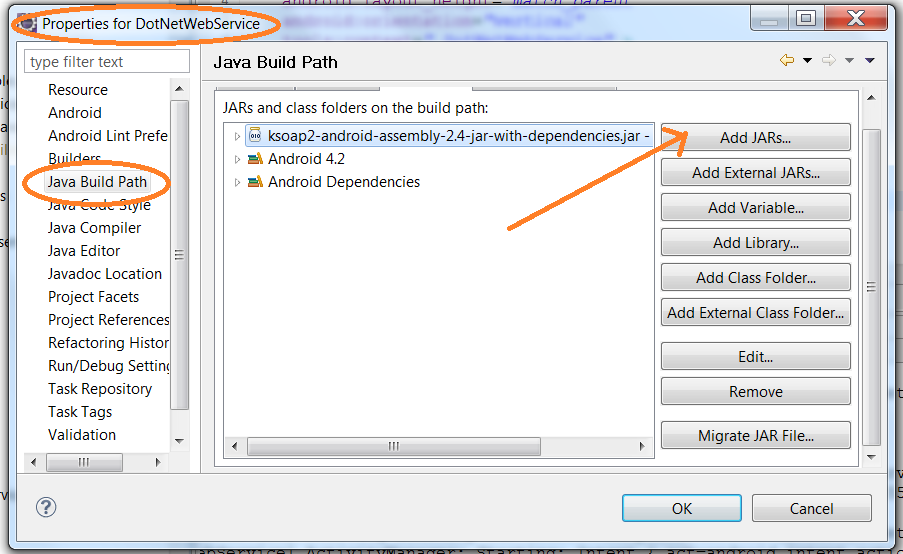
1. Add jar ksoap2-android-assembly-2.4-jar-with-dependencies.jar in your project.
2. Creating class WebserviceCall.java and define webservice namespace and url and make soap call. Accessing a live web service ConvertWeight from http://www.webserviceX.NET/ which convert weight from one unit to another.
3. Call WebserviceCall.java object to call getConvertedWeight method.
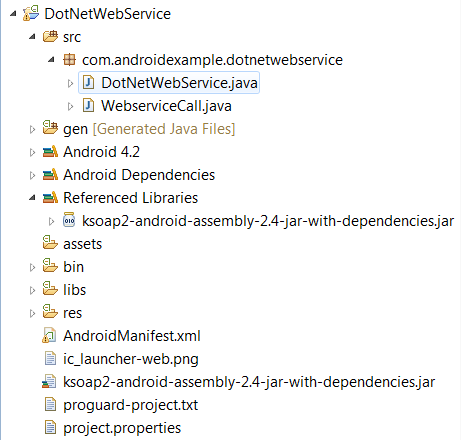
Right Click To Your Project ==> Go To Project Properties ==> Select Java Build Path ==> Click Add Jar Button And Select Downloaded ksoap2-android-assembly-2.4-jar-with-dependencies.jar file.
Main Activity to intialize webservice (defined below) class object to call method (getConvertedWeight) and pass webservice values and method name.
import com.androidexample.dotnetwebservice.WebserviceCall;
import android.os.Bundle;
import android.util.Log;
import android.view.View;
import android.view.View.OnClickListener;
import android.widget.Button;
import android.widget.TextView;
import android.widget.Toast;
import android.app.Activity;


public class DotNetWebService extends Activity {

	@Override
	protected void onCreate(Bundle savedInstanceState) {
		super.onCreate(savedInstanceState);
		setContentView(R.layout.dot_net_web_service);

		final Button webserviceCallButton = (Button) findViewById(R.id.webservice);
		final TextView webserviceResponse = (TextView) findViewById(R.id.webserviceResponse);

		webserviceCallButton.setOnClickListener(new OnClickListener() {
			public void onClick(View v) {

				webserviceResponse.setText("Requesting to server .....");

				//Create Webservice class object
				WebserviceCall com = new WebserviceCall();

				// Initialize variables
				String weight   = "18000";
				String fromUnit = "Grams";
		        String toUnit   = "Kilograms";

		        //Call Webservice class method and pass values and get response
				String aResponse = com.getConvertedWeight("ConvertWeight", weight, fromUnit, toUnit);

                //Alert message to show webservice response
				Toast.makeText(getApplicationContext(), weight+" Gram= "+aResponse+" Kilograms",
                   Toast.LENGTH_LONG).show();

				Log.i("AndroidExampleOutput", "----"+aResponse);

				webserviceResponse.setText("Response : "+aResponse);
			}
		});

	}
}
.Net Webservice call class , contains soap calls and methods.
import org.ksoap2.SoapEnvelope;
import org.ksoap2.serialization.PropertyInfo;
import org.ksoap2.serialization.SoapObject;
import org.ksoap2.serialization.SoapSerializationEnvelope;
import org.ksoap2.transport.AndroidHttpTransport;

/**
 * @author AndroidExample DotNetWebService Class
 *
 */
public class WebserviceCall {

	/**
	 * Variable Decleration................
	 *
	 */
	String namespace = "http://www.webserviceX.NET/";
	private String url = "http://www.webservicex.net/ConvertWeight.asmx";

	String SOAP_ACTION;
	SoapObject request = null, objMessages = null;
	SoapSerializationEnvelope envelope;
	AndroidHttpTransport androidHttpTransport;

	WebserviceCall() {
	}


	/**
	 * Set Envelope
	 */
	protected void SetEnvelope() {

		try {

            // Creating SOAP envelope
			envelope = new SoapSerializationEnvelope(SoapEnvelope.VER11);

			//You can comment that line if your web service is not .NET one.
			envelope.dotNet = true;

			envelope.setOutputSoapObject(request);
			androidHttpTransport = new AndroidHttpTransport(url);
			androidHttpTransport.debug = true;

		} catch (Exception e) {
			System.out.println("Soap Exception---->>>" + e.toString());
		}
	}

	// MethodName variable is define for which webservice function  will call
	public String getConvertedWeight(String MethodName, String weight,
			String fromUnit, String toUnit)
	  {

		try {
			SOAP_ACTION = namespace + MethodName;

			//Adding values to request object
			request = new SoapObject(namespace, MethodName);

			//Adding Double value to request object
			PropertyInfo weightProp =new PropertyInfo();
	        weightProp.setName("Weight");
	        weightProp.setValue(weight);
	        weightProp.setType(double.class);
	        request.addProperty(weightProp);

	        //Adding String value to request object
	        request.addProperty("FromUnit", "" + fromUnit);
			request.addProperty("ToUnit", "" + toUnit);

			SetEnvelope();

			try {

				//SOAP calling webservice
				androidHttpTransport.call(SOAP_ACTION, envelope);

				//Got Webservice response
				String result = envelope.getResponse().toString();

				return result;

			} catch (Exception e) {
				// TODO: handle exception
				return e.toString();
			}
		} catch (Exception e) {
			// TODO: handle exception
			return e.toString();
		}

	}


	/************************************/
}
<?xml version="1.0" encoding="utf-8"?>
<manifest xmlns:android="http://schemas.android.com/apk/res/android"
    package="com.androidexample.dotnetwebservice"
    android:versionCode="1"
    android:versionName="1.0" >

    <uses-sdk
        android:minSdkVersion="8"
        android:targetSdkVersion="8" />

    <application
        android:allowBackup="true"
        android:icon="@drawable/ic_launcher"
        android:label="@string/app_name"
        android:theme="@style/AppTheme" >
        <activity
            android:name="com.androidexample.dotnetwebservice.DotNetWebService"
            android:label="@string/app_name" >
            <intent-filter>
                <action android:name="android.intent.action.MAIN" />

                <category android:name="android.intent.category.LAUNCHER" />
            </intent-filter>
        </activity>
    </application>
<uses-permission android:name="android.permission.INTERNET"></uses-permission>
</manifest>
Accessing a live web service ConvertWeight from http://www.webserviceX.NET/ which convert weight from one unit to another.
1. Webservice Namespace : http://www.webserviceX.NET/
2. Webservice URL : http://www.webservicex.net/ConvertWeight.asmx
3. Method Name : ConvertWeight
 Facebook Integration - Android Example Android SharedPreferences Basics Play Video File - Android Example Upload File To Server - Android Example Incomming SMS Broadcast Receiver - Android Example