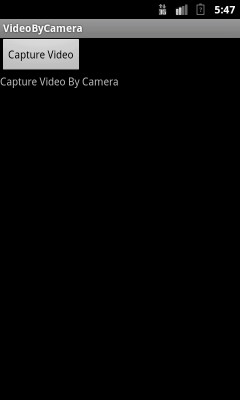
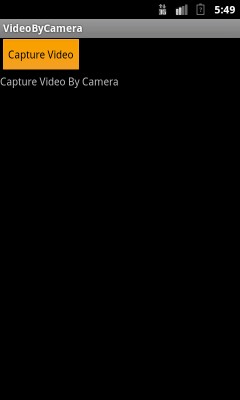
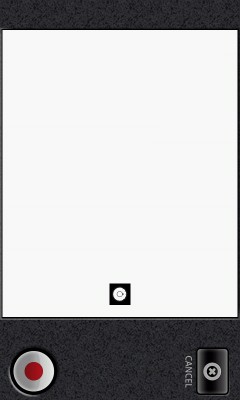
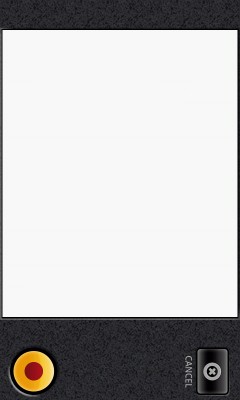
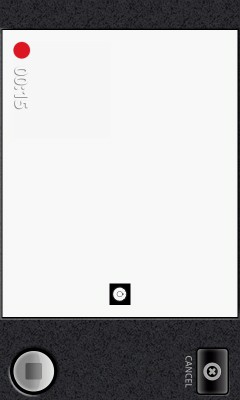
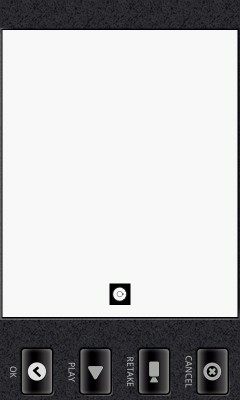
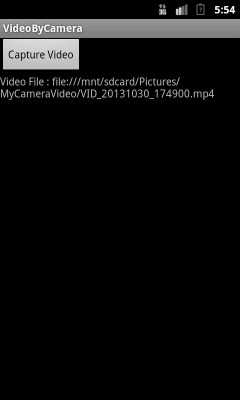


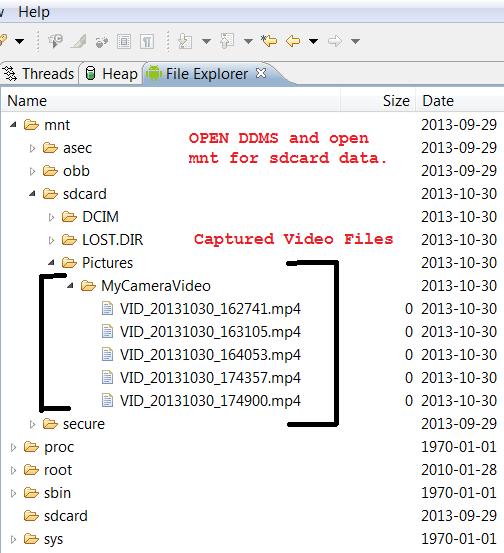
In this example capturing video by inbuild camera in android and save captured video on sdcard. Using camera intent to record video and after record the video again come back on activity and show captured video path on activity.
Giving camera permissions.
android.permission.WRITE_EXTERNAL_STORAGE– To access external storage(SDCARD).
android.permission.CAMERA – To access Camera.
 <?xml version="1.0" encoding="utf-8"?>
 <manifest xmlns:android="http://schemas.android.com/apk/res/android"
      package="com.androidexample.camera"
      android:versionCode="1"
      android:versionName="1.0">

    <uses-sdk
        android:minSdkVersion="10"
        android:targetSdkVersion="17" />

    <application android:icon="@drawable/icon"
        android:label="@string/app_name">
        <activity android:name="com.androidexample.camera.VideocameraActivity"
                  android:screenOrientation="portrait"
                  android:label="@string/app_name">
            <intent-filter>
                <action android:name="android.intent.action.MAIN" />
                <category android:name="android.intent.category.LAUNCHER" />
            </intent-filter>
        </activity>

    </application>

    <uses-permission android:name="android.permission.WRITE_EXTERNAL_STORAGE" />

    <!-- For android.media.audiofx.Visualizer -->
    <uses-permission android:name="android.permission.RECORD_AUDIO" />
        <!-- We will request access to the camera, saying we require a camera
         of some sort but not one with autofocus capability. -->
    <uses-permission android:name="android.permission.CAMERA" />
    <uses-feature android:name="android.hardware.camera" />

</manifest>
1. Opening android phone inbuild camera by camera intent.
2. Capture photo and again return on VideocameraActivity.java onActivityResult method.
3. Inside onActivityResult method getting captured video saved path and showing path on activity.
package com.androidexample.camera;

import java.io.File;
import java.text.SimpleDateFormat;
import android.app.Activity;
import android.content.Intent;
import android.net.Uri;
import android.os.Bundle;
import android.os.Environment;
import android.provider.MediaStore;
import android.util.Log;
import android.view.View;
import android.widget.Button;
import android.widget.TextView;
import android.widget.Toast;

public class VideocameraActivity extends Activity {

	private Uri fileUri;
	public static final int MEDIA_TYPE_VIDEO = 2;
	private static final int CAPTURE_VIDEO_ACTIVITY_REQUEST_CODE = 200;
	public static VideocameraActivity ActivityContext =null;
	public static TextView output;

	@Override
	public void onCreate(Bundle savedInstanceState) {
	    super.onCreate(savedInstanceState);
	    setContentView(R.layout.main);

	    ActivityContext = this;

	    Button buttonRecording = (Button)findViewById(R.id.recording);
	    output = (TextView)findViewById(R.id.output);

        buttonRecording.setOnClickListener(new Button.OnClickListener(){

			@Override
			public void onClick(View arg0) {

				// create new Intentwith with Standard Intent action that can be
			    // sent to have the camera application capture an video and return it.
			    Intent intent = new Intent(MediaStore.ACTION_VIDEO_CAPTURE);

			    // create a file to save the video
			    fileUri = getOutputMediaFileUri(MEDIA_TYPE_VIDEO);

			    // set the image file name
			    intent.putExtra(MediaStore.EXTRA_OUTPUT, fileUri);

			    // set the video image quality to high
			    intent.putExtra(MediaStore.EXTRA_VIDEO_QUALITY, 1);

			    // start the Video Capture Intent
			    startActivityForResult(intent, CAPTURE_VIDEO_ACTIVITY_REQUEST_CODE);

			}});


	}

	/** Create a file Uri for saving an image or video */
	private static Uri getOutputMediaFileUri(int type){

	      return Uri.fromFile(getOutputMediaFile(type));
	}

	/** Create a File for saving an image or video */
	private static File getOutputMediaFile(int type){

	    // Check that the SDCard is mounted
	    File mediaStorageDir = new File(Environment.getExternalStoragePublicDirectory(
	              Environment.DIRECTORY_PICTURES), "MyCameraVideo");


	    // Create the storage directory(MyCameraVideo) if it does not exist
	    if (! mediaStorageDir.exists()){

	        if (! mediaStorageDir.mkdirs()){

	        	output.setText("Failed to create directory MyCameraVideo.");

	        	Toast.makeText(ActivityContext, "Failed to create directory MyCameraVideo.",
	        			Toast.LENGTH_LONG).show();

	            Log.d("MyCameraVideo", "Failed to create directory MyCameraVideo.");
	            return null;
	        }
	    }


		// Create a media file name

	    // For unique file name appending current timeStamp with file name
	    java.util.Date date= new java.util.Date();
	    String timeStamp = new SimpleDateFormat("yyyyMMdd_HHmmss")
	                         .format(date.getTime());

	    File mediaFile;

	    if(type == MEDIA_TYPE_VIDEO) {

	    	// For unique video file name appending current timeStamp with file name
	        mediaFile = new File(mediaStorageDir.getPath() + File.separator +
	        "VID_"+ timeStamp + ".mp4");

	    } else {
	        return null;
	    }

	    return mediaFile;
	}


	@Override
	protected void onActivityResult(int requestCode, int resultCode, Intent data) {

		// After camera screen this code will excuted

	    if (requestCode == CAPTURE_VIDEO_ACTIVITY_REQUEST_CODE) {

	        if (resultCode == RESULT_OK) {

	        	output.setText("Video File : " +data.getData());

	            // Video captured and saved to fileUri specified in the Intent
	            Toast.makeText(this, "Video saved to:
" +
	                     data.getData(), Toast.LENGTH_LONG).show();

	        } else if (resultCode == RESULT_CANCELED) {

	        	output.setText("User cancelled the video capture.");

	            // User cancelled the video capture
	        	Toast.makeText(this, "User cancelled the video capture.",
	        			Toast.LENGTH_LONG).show();

	        } else {

	        	output.setText("Video capture failed.");

	            // Video capture failed, advise user
	        	Toast.makeText(this, "Video capture failed.",
	        			Toast.LENGTH_LONG).show();
	        }
	    }
	}

}
<?xml version="1.0" encoding="utf-8"?>
<LinearLayout xmlns:android="http://schemas.android.com/apk/res/android"
    android:orientation="vertical"
    android:layout_width="fill_parent"
    android:layout_height="fill_parent"
    >

      <Button
		    android:id="@+id/recording"
		    android:layout_width="wrap_content"
		    android:layout_height="wrap_content"
		    android:text="Capture Video"
		    />

   <TextView
    android:id="@+id/output"
    android:layout_width="wrap_content"
    android:layout_height="wrap_content"
    android:text="@string/hello"

    />

</LinearLayout>
 Facebook Integration - Android Example Android SharedPreferences Basics Play Video File - Android Example Upload File To Server - Android Example Incomming SMS Broadcast Receiver - Android Example